The Quest Board is where your guild's shared reading lives. It's a noticeboard, not a schedule — books sit on the board and each Adventurer reads them whenever they want, leaving comments and Topics behind for guildmates still catching up. Find it on the Quests tab.
How the board is organized
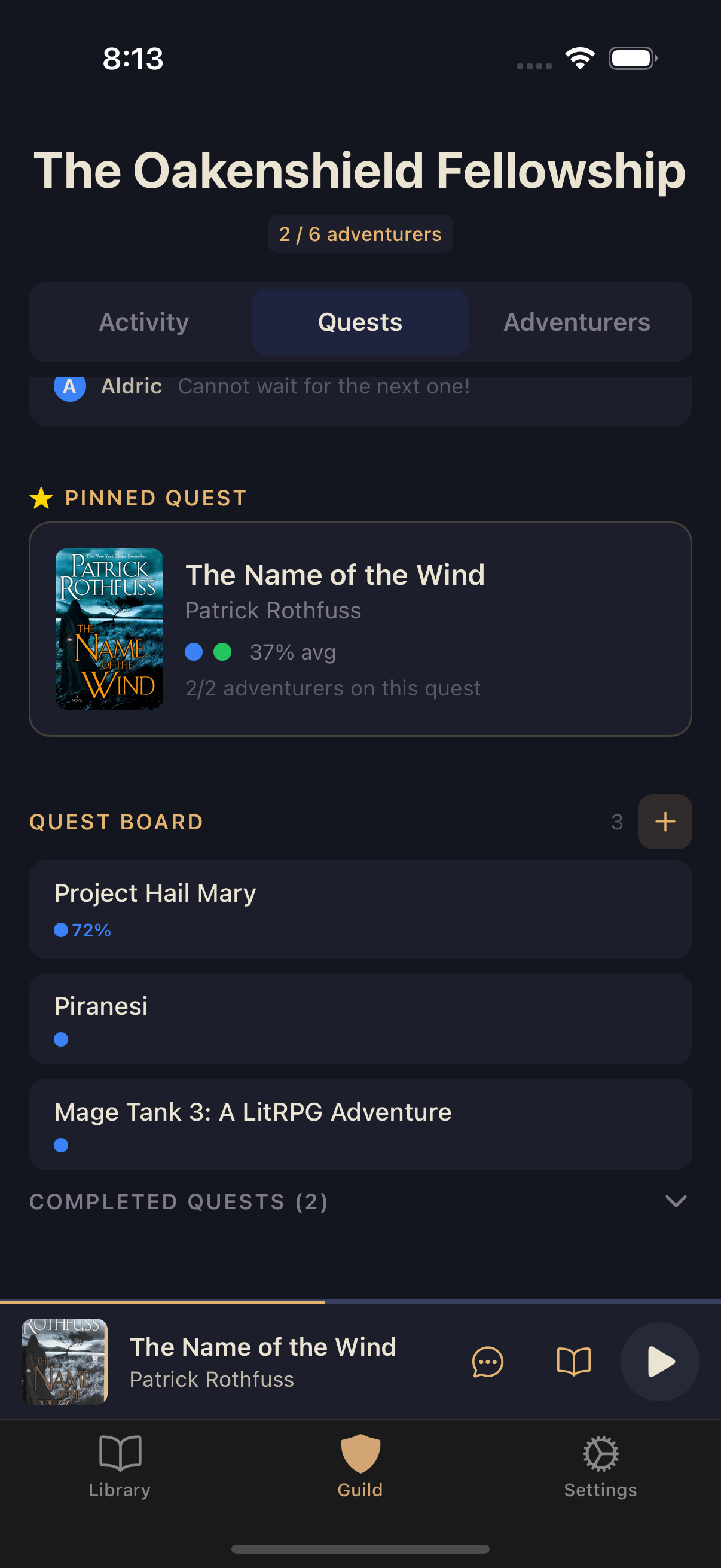
Top to bottom, the Quests tab shows:
- A compact Tavern preview card linking to your guild's chat.
- The pinned spotlight quest, if the guild owner has pinned one (see below).
- The Quest Board — every active quest in one list, with books being read sorted above books nobody has started yet. Each row shows the title and colored dots for the members on that book.
- Completed Quests — finished quests, collapsed by default. Tap the header to expand.
A book someone adds starts out queued. Long-press its row and choose Start Reading when you pick it up. Nothing is assigned and nothing is scheduled — reading any quest, in any order, is entirely up to each Adventurer.
Adding a quest
Any Adventurer can add a book to the board.
Open the Quests tab
From your guild, tap Quests.
Add a book
Tap the + button on the Quest Board header and search for a title.
Confirm
Choose the book from the results to post it to the board.
Long-pressing a quest row opens its management menu: View Details, Start Reading (for books you haven't begun), pinning, and removal. Only the guild owner — or the Adventurer who added the book — can remove a quest from the board.
Progress dots
Each member has their own avatar color, and that color follows them across Squabble — including the dots on a Quest Board row and their Ghost Markers on the player timeline. A row only shows dots for the Adventurers who actually have that book, so an empty-looking row just means nobody's started yet. If a guildmate is on a New Read+ of the book, their dot swaps to their reread tier color with an R-number instead of a progress percent.
The pinned spotlight quest
The guild owner can pin one quest to a spotlight card at the top of the board. It's a first-among-equals — a nudge toward the book the guild is rallying around — not a requirement. The pinned card shows cover art, member progress dots, an average-progress figure, and how many Adventurers are on that quest.
The quest detail view
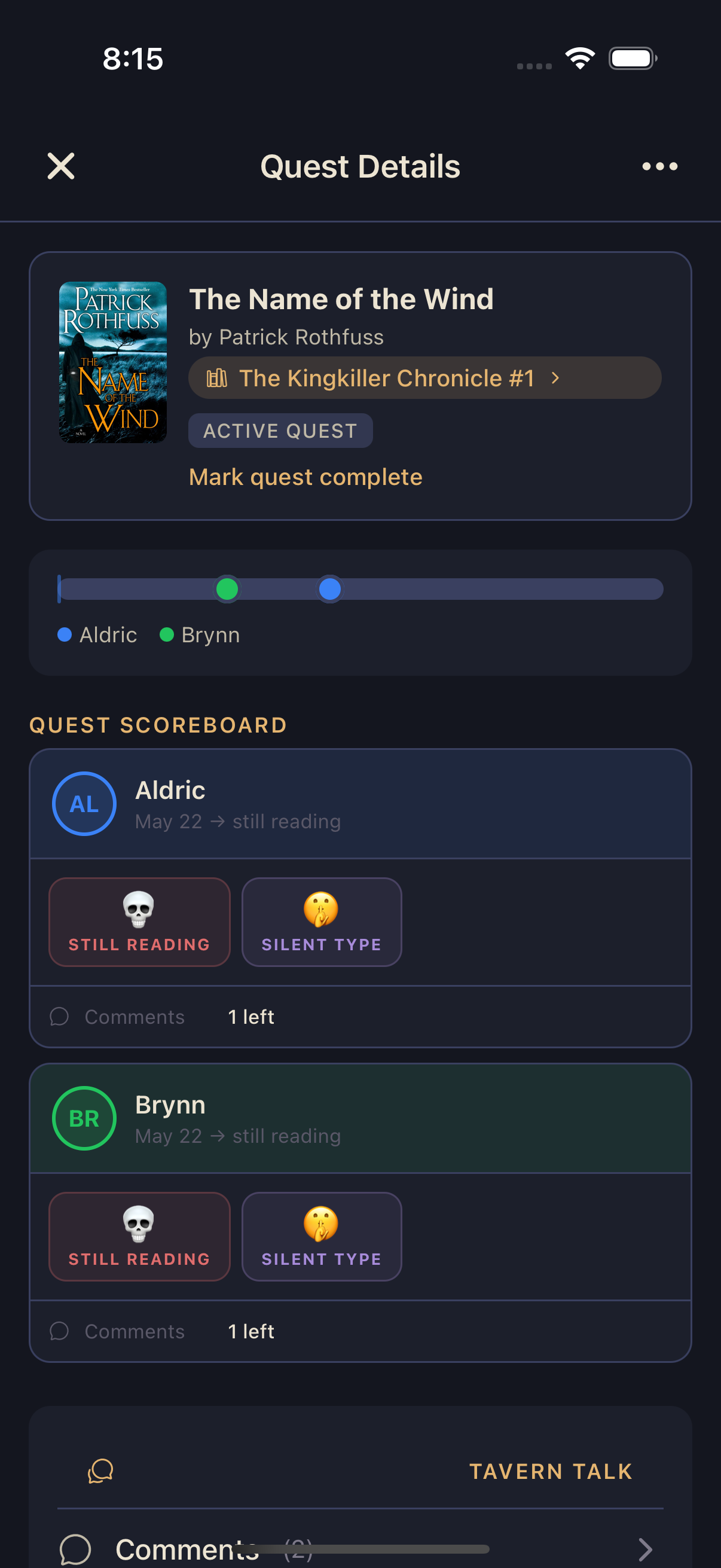
Tap any quest to open its detail view, the hub for one book:
- A guild progress bar with a marker for each Adventurer, so you can see the whole party's spread at a glance.
- Spoiler-gated comment markers along that bar — you'll only see markers for timestamp comments you're allowed to read.
- A quest scoreboard with per-member status and comment counts, plus playful race-style badges.
- A Tavern Talk section with Comments, Topics, and Chat rows — opening the book's comment thread, its Topics, and its per-book Tavern chat.