Once your shelf has more than a handful of books, Squabble gives you a few ways to slice it: filter chips, a sort menu, a card/list toggle, and folder browsing.
Filtering your shelf
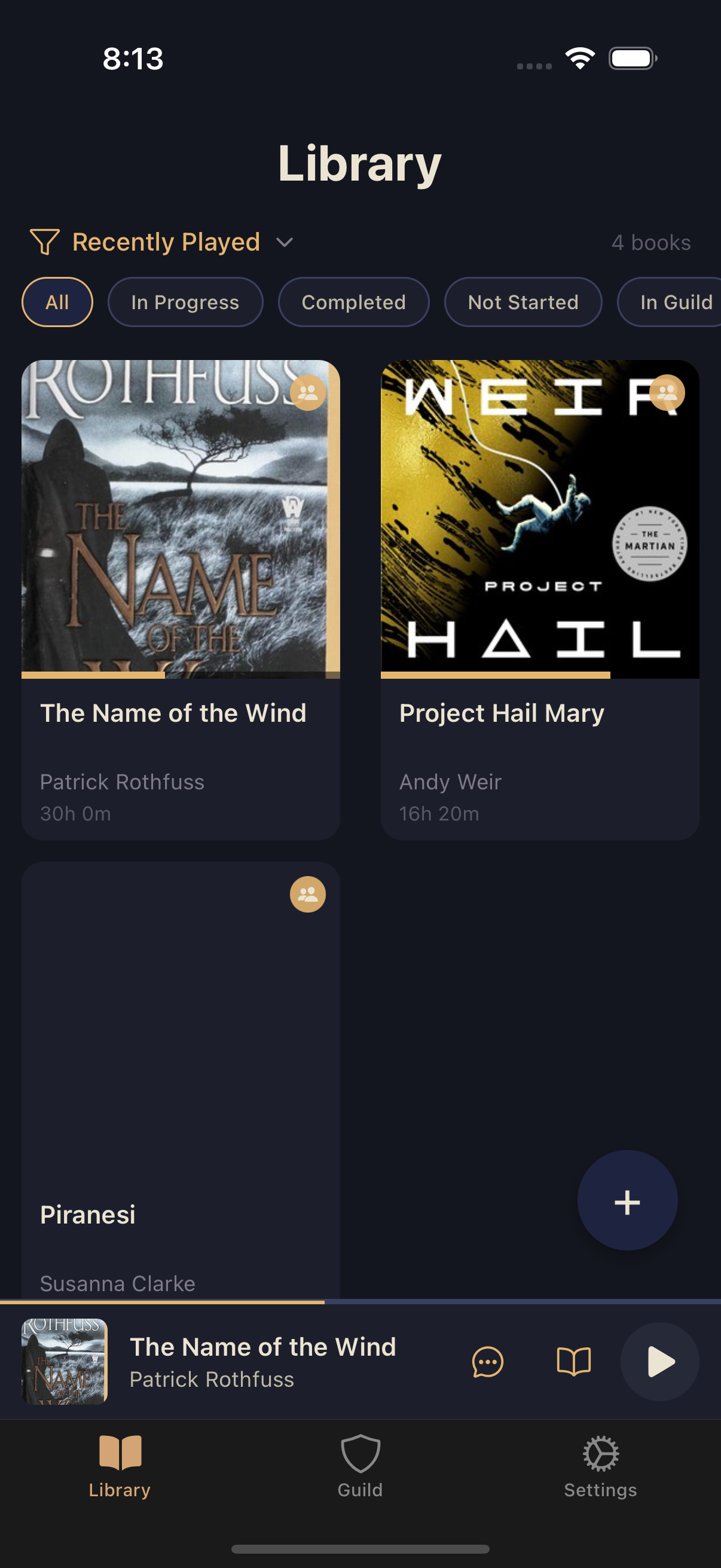
A row of chips sits under the Library header: All, In Progress, Completed, Not Started, In Guild, Not on Device, and Archived. The row scrolls horizontally, so swipe left to reach the later chips.
Card view vs. list view
Books display as a grid of cover-art cards by default. Switch to compact list rows from the sort menu (tap the funnel icon near the top of the Library) if you'd rather scan titles quickly. Selecting multiple books for bulk actions always switches you into list rows automatically.
Sorting your books
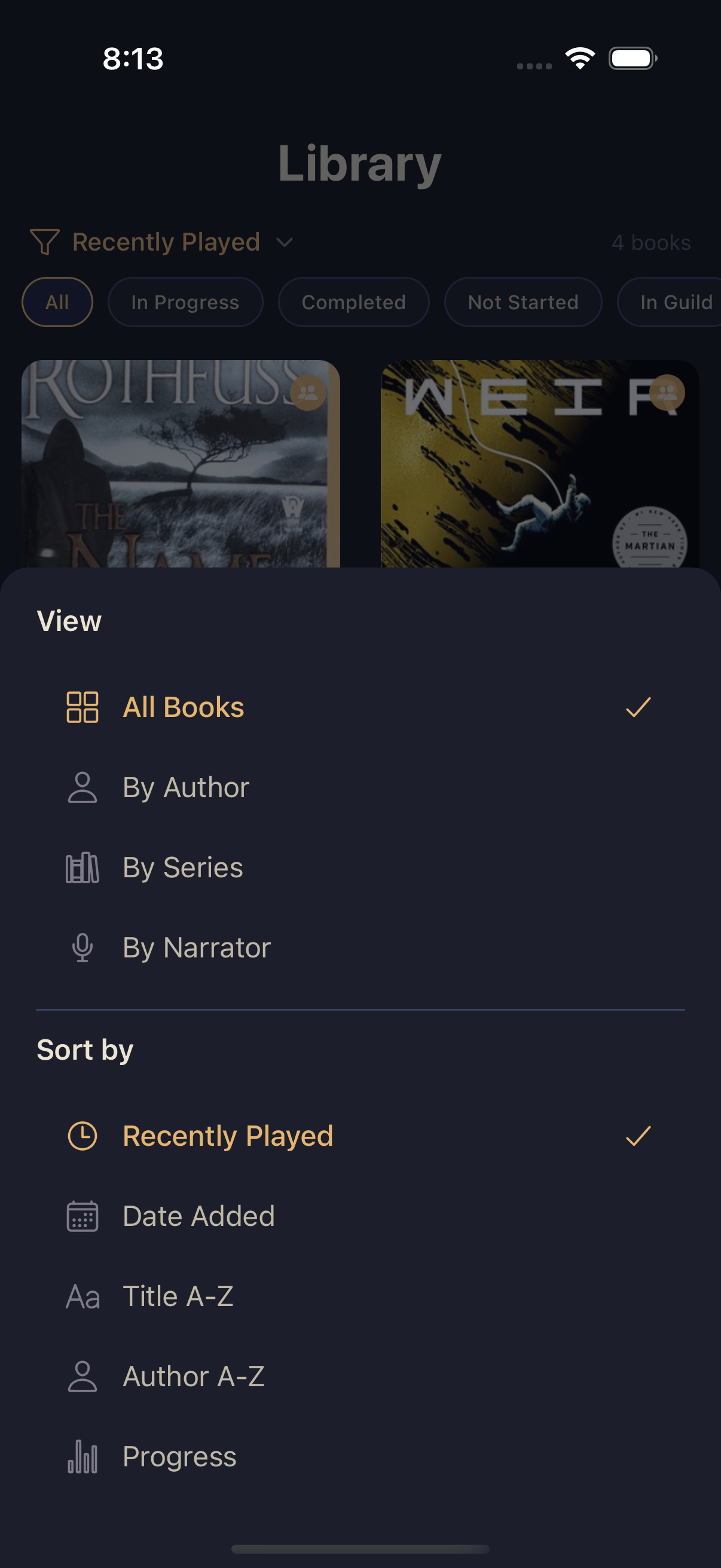
From that same sort menu, choose how the All Books view is ordered:
- Recently Played (default)
- Date Added
- Title A-Z
- Author A-Z
- Progress
Browsing by folder
The same menu's View section lets you group your whole library instead of sorting it flat: By Author, By Series, or By Narrator. Each group renders as a folder tile — tap one to open its contents. Series folders sort by book position by default so a series reads in order; author and narrator folders sort alphabetically by title.
Tapping any book from a card, list row, or folder opens its book details screen, where playback, comments, and guild actions live.